Programy i edytory: Różnice pomiędzy wersjami
| [wersja nieprzejrzana] | [wersja nieprzejrzana] |
Anulowanie wersji nr 4461 utworzonej przez SlawekKirdzik (dyskusja) |
całość prawie do przetłumaczenia, ale już przynajmniej jest, stopniowo tłumaczcie (też będę tłumaczyć) |
||
| Linia 1: | Linia 1: | ||
< | <div style="float: right">__TOC__</div>{{odpowiedzialność}} | ||
Społeczność skupiona wokół gry Minecraft stworzyła wiele programów, które wspomagają standardową rozgrywkę. Część z nich ułatwia rozgrywkę, inne dodają możliwości, których brakuje w grze, a jeszcze inne pozwalają oszukiwać. Są też programy, które pomagają w rozwikłaniu jakiegoś problemu związanego z obwodami czerwonego kamienia. Dostępne są również aplikacje pozwalające na wykonanie kopii zapasowej zapisów gry. | Społeczność skupiona wokół gry Minecraft stworzyła wiele programów, które wspomagają standardową rozgrywkę. Część z nich ułatwia rozgrywkę, inne dodają możliwości, których brakuje w grze, a jeszcze inne pozwalają oszukiwać. Są też programy, które pomagają w rozwikłaniu jakiegoś problemu związanego z obwodami czerwonego kamienia. Dostępne są również aplikacje pozwalające na wykonanie kopii zapasowej zapisów gry. | ||
| Linia 5: | Linia 5: | ||
Niektóre aplikacje .NET mogą wymagać '''Mono''' do uruchomienia na Maci Linux. | Niektóre aplikacje .NET mogą wymagać '''Mono''' do uruchomienia na Maci Linux. | ||
== Mapowanie == | == Mapowanie == | ||
=== Mappers | === Mappers === | ||
==== | Mappery tworzą graficzną mapę terenu twojego świata. Wiele z nich posiada opcje dla różnych poziomów i kątów. Niektóre z nich ograniczają tworzenie mapy dla określonych typów bloków. | ||
| | {{Programs header| | ||
| | {{Programs entry | ||
| | | nazwa = c10t | ||
| | | autor = udoprog (John-John Tedro) | ||
| | | obraz = C10t.isometric.png | ||
| | | platforma = {{OS|win|linux|mac}} | ||
| | | językprogramowania = C++ | ||
| | | wersja = 1.4 | ||
| | | data = 2010-11-17 | ||
| | | źródło = Tak, BSD | ||
| | | kompatybilne = [[Alpha]], [[Beta]], [[McRegion]] | ||
| | | forum = http://www.minecraftforum.net/viewtopic.php?f=25&t=33803 | ||
|forum=http://www.minecraftforum.net/viewtopic.php?f= | | witryna = http://toolchain.eu/minecraft/c10t | ||
|witryna= | | notatki = Działa w linii poleceń. {{tłumacz|A rewrite of Cartograph. Java+SWT and Python+Tkinter graphical interfaces are also available.}} | ||
}} | |||
{{Programs entry | |||
| nazwa = Cartograph G | |||
| autor = Gameslinder | |||
| obraz = Cartograph.png | |||
| platforma = {{OS|win}} | |||
| językprogramowania = C++ (renderer), VB (interfejs) | |||
| wersja = 2011_03_17 | |||
| data = 2011-03-17 | |||
| źródło = Jeszcze nie | |||
| kompatybilne = [[Alpha]], [[Beta]], [[McRegion]] | |||
| forum = http://www.minecraftforum.net/viewtopic.php?f=1022&t=165779 | |||
| witryna = | |||
| notatki = {{tłumacz|Branch from [[Cartograph]]. Supports the latest updates and some fixes of Cartograph bugs. New features are added including an enhanced GUI.}} | |||
}} | }} | ||
{{ | {{Programs entry | ||
|nazwa= | | nazwa = Tectonicus | ||
| | | autor = OrangyTang | ||
| obraz = TectonicusCloseZoom.png | |||
| | | platforma = {{OS|win|linux|mac}} | ||
| | | językprogramowania = Java | ||
|linux | | wersja = 1.25 | ||
| | | data = 2011-03-02 | ||
| | | źródło = Jeszcze nie | ||
| | | kompatybilne = [[Beta]], [[McRegion]] | ||
|źródło= | | forum = http://www.minecraftforum.net/viewtopic.php?f=25&t=95739 | ||
| | | witryna = | ||
| notatki = {{tłumacz|Renders high-detail zoomable versions of minecraft maps, viewable via google maps.}} | |||
|forum=http://www.minecraftforum.net/viewtopic.php?f=25&t= | |||
|witryna= | |||
}} | }} | ||
{{Programs entry | |||
{{ | | nazwa = mcmap | ||
|nazwa= | | autor = Zahl | ||
| | | obraz = Mcmap.png | ||
| | | platforma = {{OS|win|linux|mac}} | ||
| | | językprogramowania = C++ | ||
| | | wersja = 1.0 | ||
|linux | | data = 2010-09-23 | ||
| | | źródło = Tak | ||
| | | kompatybilne = [[Alpha]], [[Beta]], [[McRegion]] | ||
| | | forum = http://www.minecraftforum.net/viewtopic.php?f=25&t=40327 | ||
|źródło=Tak | | witryna = http://github.com/Zahl/mcmap | ||
| | | notatki = {{tłumacz|Command-line + Windows GUI. Mcmap Live available for Mac GUI.}} | ||
|forum=http://www.minecraftforum.net/viewtopic.php?f=25&t= | |||
|witryna=http:// | |||
}} | }} | ||
==== Alpha | {{Programs entry | ||
==== | | nazwa = MCMap Live | ||
==== MineMap ==== | | autor = Donkey Kong | ||
==== | | obraz = Mcmap_live.png | ||
==== | | platforma = {{OS|mac}} | ||
{{ | | językprogramowania = Objective-C++ | ||
|nazwa= | | wersja = 1.4.0 | ||
| | | data = 2010-10-21 | ||
| | | źródło = Tak | ||
|wersja=1. | | kompatybilne = [[Beta]], [[McRegion]] | ||
| | | forum = http://www.minecraftforum.net/viewtopic.php?f=25&t=54784&p=877865 | ||
|linux= | | witryna = | ||
| | | notatki = {{tłumacz|Interactive GUI, Xray maps, and biome support.}} | ||
| | }} | ||
| | |||
|źródło= | {{Programs entry | ||
| | | nazwa = Minetographer | ||
|autor= | | autor = jakester2 | ||
|forum=http://www.minecraftforum.net/viewtopic.php?f=25&t= | | obraz = Minetographer.png | ||
|witryna= | | platforma = {{OS|win|mac}} | ||
| językprogramowania = Java, Objective-C | |||
| wersja = 0.7.2 beta | |||
| data = 2010-12-28 | |||
| źródło = Jeszcze nie | |||
| kompatybilne = [[Alpha]], [[Beta]] | |||
| forum = http://www.minecraftforum.net/viewtopic.php?f=1022&t=119635 | |||
| witryna = | |||
| notatki = {{tłumacz|Intuitive GUI for creating detailed, zoomable map renders of you Minecraft worlds. Powered by Tectonicus, Minetographer is fast and easy to use.}} | |||
}} | |||
{{Programs entry | |||
| nazwa = PixelMap | |||
| autor = McTwist | |||
| obraz = PixelMapNormal.png | |||
| platforma = {{OS|win|linux}} | |||
| językprogramowania = C++ | |||
| wersja = 0.85 | |||
| data = 2011-02-24 | |||
| źródło = Tak | |||
| kompatybilne = [[Alpha]], [[Beta]], [[McRegion]] | |||
| forum = http://www.minecraftforum.net/viewtopic.php?f=25&t=74419 | |||
| witryna = | |||
| notatki = {{tłumacz|Highly customizable with a lot of options. Supports both GUI and command line and have the ability to use multiple cores (multithreading).}} | |||
}} | |||
{{Programs entry | |||
| nazwa = MineMap | |||
| autor = Gobo (Elliot Walmsley) | |||
| obraz = Minemap.png | |||
| platforma = {{OS|win|linux|mac}} | |||
| językprogramowania = Java | |||
| wersja = 1.0 | |||
| data = 2010-10-09 | |||
| źródło = Tak, WTFPL | |||
| kompatybilne = | |||
| forum = http://www.minecraftforum.net/viewtopic.php?f=25&t=49829&p=811478 | |||
| witryna = http://crustycode.com/svn/MineMap | |||
| notatki = Łatwy do używania interfejs. Wieloplatformowy. | |||
}} | |||
{{Programs entry | |||
| nazwa = Minecraft Topographical Survey | |||
| autor = Dred_furst, davejk | |||
| obraz = inecraftTopographicalSurvey.png | |||
| platforma = {{OS|win}} | |||
| językprogramowania = C# | |||
| wersja = 1.4 | |||
| data = 2011-01-31 | |||
| źródło = Tak, Ms-PL | |||
| kompatybilne = [[Alpha]], [[Beta]] | |||
| forum = http://www.minecraftforum.net/viewtopic.php?f=25&t=20817 | |||
| witryna = http://minecraft.codeplex.com/ | |||
| notatki = {{tłumacz|Fast. Supports huge worlds. Multiple map types, including heatmaps. Both GUI and commandline versions. Auto updates.}} | |||
}} | |||
{{Programs entry | |||
| nazwa = Alpha Vespucci | |||
| autor = OrangeXP | |||
| obraz = AlphaVespucci.png | |||
| platforma = {{OS|win}} | |||
| językprogramowania = C++ | |||
| wersja = 1.10 | |||
| data = 2010-11-03 | |||
| źródło = Nie | |||
| kompatybilne = [[Alpha]] | |||
| forum = http://www.minecraftforum.net/viewtopic.php?f=25&t=33522 | |||
| witryna = https://sites.google.com/site/orangexptesting/cabinet | |||
| notatki = {{tłumacz|Command-line, very customizable output (lots of options), capable of rendering huge maps. Also works under Wine (after adding a DLL override).}} | |||
}} | |||
{{Programs entry | |||
| nazwa = MineMap | |||
| autor = Gobo (Elliot Walmsley) | |||
| obraz = Minemap.png | |||
| platforma = {{OS|win|linux|mac}} | |||
| językprogramowania = Java | |||
| wersja = 1.0 | |||
| data = 2010-10-09 | |||
| źródło = Tak, WTFPL | |||
| kompatybilne = [[Alpha]] | |||
| witryna = http://crustycode.com/svn/MineMap | |||
| forum = http://www.minecraftforum.net/viewtopic.php?f=25&t=49829&p=811478 | |||
| notatki = Easy to use GUI. Multi-platform. | |||
}} | |||
{{Programs entry | |||
| nazwa = Minecraft Topographical Survey | |||
| autor = Dred_furst, davejk | |||
| obraz = MinecraftTopographicalSurvey.png | |||
| platforma = {{OS|win}} | |||
| językprogramowania = C# | |||
| wersja = 1.5 | |||
| data = 2011-03-21 | |||
| źródło = Tak, Ms-PL | |||
| kompatybilne = [[Alpha]], [[Beta]] | |||
| forum = http://www.minecraftforum.net/viewtopic.php?f=25&t=20817 | |||
| witryna = http://minecraft.codeplex.com/ | |||
| notatki = Fast. Supports really huge worlds. Multiple map types, including heatmaps. Auto updates. One click image upload for sharing. | |||
}} | |||
{{Programs entry | |||
| nazwa = Alpha Vespucci | |||
| autor = OrangeXP | |||
| obraz = AlphaVespucci.png | |||
| platforma = {{OS|win}} | |||
| językprogramowania = C++ | |||
| wersja = 1.10 | |||
| data = 2010-11-03 | |||
| źródło = Nie | |||
| kompatybilne = [[Alpha]] | |||
| forum = http://www.minecraftforum.net/viewtopic.php?f=25&t=33522 | |||
| witryna = https://sites.google.com/site/orangexptesting/cabinet | |||
| notatki = Command-line, very customizable output (lots of options), capable of rendering huge maps. Also works under Wine (after adding a DLL override). [http://www.minecraftforum.net/viewtopic.php?p=719066#p719066 AlphaVespucci GUI] has been written in .NET by LrdPhoenix. | |||
}} | |||
{{Programs entry | |||
| nazwa = OpenCraft Plotter | |||
| platforma = {{OS|win|linux|mac}} | |||
| językprogramowania = Java | |||
| wersja = 0.3 | |||
| data = 2010-02-07 | |||
| źródło = Tak | |||
| kompatybilne = [[Indev]] | |||
| witryna = http://opencraft.sourceforge.net/ | |||
| notatki = Part of the [[OpenCraft]] project. A Java library and standalone tool to provide visualizations for all save formats. | |||
}} | }} | ||
}} | }} | ||
=== Podgląd mapy === | === Podgląd mapy === | ||
==== | Programy te potrafią tylko odczytywać mapę. Posiadają interaktywny interfejs. | ||
==== Minecraft | |||
{{ | {{Programs header| | ||
|nazwa=Minecraft X-Ray | {{Programs entry | ||
| | | nazwa = MineViewer | ||
| | | autor = DrSchnz | ||
|wersja=2.7 MB | | obraz = Mineview.png | ||
| | | platforma = {{OS|win|linux|mac}} | ||
|linux= | | językprogramowania = C#/Lua | ||
| | | wersja = 0.0.3 | ||
| | | data = 2010-09-19 | ||
| | | źródło = Tak, MIT | ||
| | | kompatybilne = [[Alpha]], [[Beta]] | ||
| | | nether support = Tak | ||
|autor= | | witryna = http://xiatek.org/?cat=10 | ||
|forum=http://www.minecraftforum.net/viewtopic.php?f= | | notatki = 3D, Slices by clicking, GUI, Customizable Schemes. Connects to SMP servers. | ||
|witryna=http:// | }} | ||
{{Programs entry | |||
| nazwa = MineDroid | |||
| autor = dilatoryreflex, Ryan McNally | |||
| obraz = MineDroid-shot.png | |||
| platforma = {{OS|android}} | |||
| językprogramowania = Java | |||
| wersja = 250211 | |||
| data = 2011-02-25 | |||
| źródło = Tak, BSD | |||
| kompatybilne = [[Beta]], [[McRegion]] | |||
| nether support = Niet Yet | |||
| forum = | |||
| witryna = http://code.google.com/p/minedroid/ | |||
| notatki = A map viewer / concept design for Android OS. Use your own 1.3 beta levels, temporarily build and destroy blocks, sensor steering, crouch & jump, no-clip mode. Works on low end devices (requires android 2.1 or higher). | |||
}} | |||
{{Programs entry | |||
| nazwa = Minecraft AutoMap | |||
| autor = bp2008, Ceii | |||
| obraz = MinecraftAM.png | |||
| platforma = {{OS|win}} | |||
| językprogramowania = C# | |||
| wersja = 0.4.x.x | |||
| data = 2011-02-23 | |||
| źródło = Tak, MS-PL | |||
| kompatybilne = [[Beta]], [[McRegion]] | |||
| nether support = Tak | |||
| forum = http://www.minecraftforum.net/viewtopic.php?f=1022&t=51629 | |||
| witryna = http://www.minecraftam.com/ | |||
| notatki = Displays a highly customizable live-updated map of your surroundings, including nearby creatures and players. Works with SMP and the Nether. The map runs in a separate window from Minecraft so it can be sized and positioned, fullscreened, or placed on top of Minecraft. Typically updated within 12 hours of Minecraft updates. Requires Risugami's ModLoader. | |||
}} | |||
{{Programs entry | |||
| nazwa = Minecraft X-Ray | |||
| autor = plusminus / xolotl | |||
| obraz = Minecraft_X-ray.PNG | |||
| platforma = {{OS|win|linux|mac}} | |||
| językprogramowania = Java | |||
| wersja = 2.7 MB 11 | |||
| data = 2011-03-16 | |||
| źródło = Tak, BSD | |||
| kompatybilne = [[Alpha]], [[Beta]], [[McRegion]] | |||
| nether support = Tak | |||
| forum = http://www.minecraftforum.net/viewtopic.php?f=1022&t=119356 | |||
| witryna = http://apocalyptech.com/minecraft/xray/ | |||
| notatki = 3D map viewer that highlights minerals. | |||
}} | |||
{{Programs entry | |||
| nazwa = Minutor | |||
| autor = mrkite77 | |||
| obraz = Minutor.png | |||
| platforma = {{OS|win|linux|mac}} | |||
| językprogramowania = C/ObjC/C++ | |||
| wersja = 1.0 | |||
| data = 2011-2-24 | |||
| źródło = Tak, BSD | |||
| kompatybilne = [[Alpha]], [[Beta]], [[McRegion]] | |||
| nether support = Tak | |||
| forum = http://minecraftforum.net/viewtopic.php?f=25&t=40919 | |||
| witryna = http://seancode.com/minutor | |||
| notatki = GUI, interactive, shows slices of your map up to the desired height. | |||
}} | |||
}} | |||
=== Stare Mappery === | |||
Programy w tej sekcji pracują tylko ze starszymi wersjami gry, włączając w to darmowy tryb klasyczny. | |||
{{Programs header| | |||
{{Programs entry | |||
| nazwa = Isocraft | |||
| autor = pubby8 | |||
| obraz = Isocraft.png | |||
| platforma = {{OS|win}} | |||
| językprogramowania = Java | |||
| wersja = 1.0 | |||
| data = 2009-11-27 | |||
| źródło = Nie | |||
| kompatybilne = [[Classic]] | |||
| forum = http://www.minecraftforum.net/viewtopic.php?f=25&t=4231 | |||
| notatki = The first of its kind. Creates an isometric image of a Classic level. | |||
}} | |||
{{Programs entry | |||
| nazwa = [[Cartograph]] | |||
| autor = ZomBuster | |||
| obraz = Cartograph_oblique_angled.png | |||
| platforma = {{OS|win|linux}} | |||
| językprogramowania = C++, Java | |||
| wersja = 5.0 | |||
| data = 2010-09-24 | |||
| źródło = Tak (C++), no (Java) | |||
| kompatybilne = [[Beta]] | |||
| forum = http://www.minecraftforum.net/viewtopic.php?f=25&t=13134 | |||
| notatki = The first mapper for infinite levels. Created for Infdev levels before it became Alpha. | |||
}} | |||
{{Programs entry | |||
| nazwa = pynemap | |||
| autor = ramiel (aheadley) | |||
| obraz = Pynemap-oblique-example.png | |||
| platforma = {{OS|win|linux|mac}} | |||
| językprogramowania = Python | |||
| wersja = 0.1b2 | |||
| data = 2010-09-23 | |||
| źródło = Tak, MIT | |||
| kompatybilne = [[Alpha]] | |||
| forum = http://www.minecraftforum.net/viewtopic.php?f=25&t=26659 | |||
| witryna = http://github.com/aheadley/pynemap | |||
| notatki = Command-line, suitable for cronjobs or scripts. | |||
}} | |||
}} | |||
=== Edytory mapy === | |||
Edytory potrafią modyfikować właściwości mapy, lokalizację gracza, cykl dnia i nocy i/lub mogą edytować inwentarz gracza i generować mapy. | |||
{{Programs header| | |||
{{Programs entry | |||
| nazwa = [[Omen]] | |||
| autor = osici | |||
| obraz = Omen.png | |||
| platforma = {{OS|win|linux|mac}} | |||
| językprogramowania = Java | |||
| wersja = 0.7.0 | |||
| data = 2010-02-08 | |||
| źródło = Nie | |||
| kompatybilne = [[Classic]] | |||
| forum = http://minecraftforum.net/viewtopic.php?t=80 | |||
| notatki = The first map editor, created to edit Indev and later Classic levels. You can view the level's blocks in 2d slices, and alter them by "painting" blocks using brushes of different shapes and sizes. Also includes some terrain generators and supports the old Indev levels. Requires [http://minecraft.net/servers.jsp minecraft-server.jar] for Classic support. | |||
}} | |||
{{Programs entry | |||
| nazwa = NBT Forge | |||
| autor = Aeomin | |||
| obraz = Nbtforge.png | |||
| platforma = {{OS|win}} | |||
| językprogramowania = Delphi (?) | |||
| wersja = 0.2.14c | |||
| data = 2010-08-05 | |||
| źródło = Nie | |||
| kompatybilne = [[Alpha]] | |||
| forum = http://www.minecraftforum.net/viewtopic.php?f=25&t=6382 | |||
| notatki = A successor to Omen that supports the newer Alpha levels. Like Omen, you can view 2d slices and paint blocks using a different set of brushes. Added new Blocks of Hallowen Update. | |||
}} | |||
{{Programs entry | |||
| nazwa = MCEdit | |||
| autor = codewarrior (David Vierra) | |||
| obraz = MCEdit.jpg | |||
| platforma = {{OS|win|linux|mac}} | |||
| językprogramowania = Python | |||
| wersja = Alpha 85 | |||
| data = 2011-02-27 | |||
| źródło = Partial [http://github.com/codewarrior0/pymclevel] | |||
| kompatybilne = [[Alpha]], [[Beta]], [[McRegion]] | |||
| witryna = http://davidvierra.com/mcedit.html | |||
| forum = http://minecraftforum.net/viewtopic.php?t=15522 | |||
| notatki = The first 3D editor. Created to import older levels into the new Alpha levels. Fly around in 3D and select blocks, then copy or export them. Import blocks from schematics or from entire Classic levels. Resize a level by creating or deleting chunks. | |||
}} | |||
{{Programs entry | |||
| nazwa = MineEdit | |||
| autor = N3X15 | |||
| obraz = MineEdit.jpg | |||
| platforma = {{OS|win|Linux}} | |||
| językprogramowania = C# | |||
| wersja = 1.0 preview | |||
| data = 2010-11-21 | |||
| źródło = Tak | |||
| kompatybilne = [[Alpha]], [[Beta]] | |||
| witryna = http://github.com/N3X15/MineEdit | |||
| forum = http://minecraftforum.net/viewtopic.php?t=14733 | |||
| notatki = All-in-one Editor. Includes a terrain editor similar to Omen and NBT Forge. Replaces blocks of one type with another. Also lets you edit your player's inventory and the world's entities. Since the November 21 Update, the terrain editor seems to be missing, but other problems have been fixed, and the program has been updated to support all blocks and objects added in the Halloween Update. [http://www.minecraftforum.net/viewtopic.php?p=1003244#p1003244] | |||
}} | |||
{{Programs entry | |||
| nazwa = MapDeleter / Pine Tree Generator | |||
| autor = Chuck | |||
| obraz = MapDeleterPineTreeGenerator.png | |||
| platforma = {{OS|win|linux|mac}} | |||
| językprogramowania = Java | |||
| wersja = R5 | |||
| data = 2010-09-25 | |||
| źródło = Nie | |||
| kompatybilne = [[Alpha]] | |||
| forum = http://minecraftforum.net/viewtopic.php?t=26733 | |||
| notatki = Features: delete chunks; copy and paste chunks (works between worlds); generate large pine trees. | |||
}} | }} | ||
{{Programs entry | |||
{{ | | nazwa = mce | ||
|nazwa= | | autor = codewarrior (David Vierra) | ||
| | | obraz = mce.png | ||
| | | platforma = {{OS|win|linux|mac}} | ||
| | | językprogramowania = Python | ||
| | | źródło = Tak | ||
|linux | | kompatybilne = [[Alpha]] | ||
| forum = http://www.minecraftforum.net/viewtopic.php?f=1012&t=38715 | |||
| | | witryna = http://github.com/codewarrior0/pymclevel | ||
| | | notatki = Command-line editor derived from MCEdit. Works well with servers. | ||
|źródło=Tak | |||
| | |||
|forum=http://www.minecraftforum.net/viewtopic.php?f= | |||
| | |||
}} | }} | ||
{{Programs entry | |||
| nazwa = WorldEdit | |||
| autor = sk89q | |||
| obraz = WorldEdit.png | |||
| platforma = {{OS|win|linux|mac}} | |||
| językprogramowania = Java | |||
| źródło = Tak | |||
| kompatybilne = [[Alpha]], [[Beta]] | |||
| forum = http://www.minecraftforum.net/viewtopic.php?f=1012&t=45396 | |||
| witryna = http://www.sk89q.com/projects/worldedit/ | |||
| notatki = A powerful in-game SMP and SSP map editor. Edit regions, save/load regions, generate forests, restore regions from backups, and use other various utility tools. Single player usage requires [http://www.minecraftforum.net/viewtopic.php?f=25&t=100267 Single Player Commands], while multiplayer usage requires a compatible plugin host. | |||
}} | |||
{{ | |||
|nazwa= | |||
| | |||
| | |||
| | |||
| | |||
|linux | |||
| | |||
| | |||
| | |||
| | |||
| | |||
| | |||
}} | }} | ||
====Sk1nSw1tch ==== | === Generatory map === | ||
====Minecraft Texture Switcher ==== | Generatory potrafią stworzyć nowe światy z różnymi właściwościami lub mogą dodać do istniejącego świata nowe bloki. | ||
====DSwitch ==== | |||
{{Programs header| | |||
{{Programs entry | |||
| nazwa = ZOMG | |||
| autor = ZomBuster | |||
| obraz = | |||
| platforma = {{OS|win}} | |||
| językprogramowania = | |||
| wersja = 2.02b | |||
| data = | |||
| źródło = | |||
| kompatybilne = [[Indev]] | |||
| witryna = | |||
| forum = http://www.minecraftforum.net/viewtopic.php?f=25&t=3970#p38118 | |||
| notatki = Creates wild, surreal landscapes of several varieties. | |||
}} | |||
{{Programs entry | |||
| nazwa = MCMapper | |||
| autor = BeeTLe BeTHLeHeM | |||
| obraz = | |||
| platforma = {{OS|win|linux|mac}} | |||
| językprogramowania = Java | |||
| wersja = v0.4.6 | |||
| data = 2010-12-27 | |||
| źródło = | |||
| kompatybilne = [[Alpha]] | |||
| witryna = http://www.neurogrill.net/mc/mcmapper.htm | |||
| forum = http://www.minecraftforum.net/viewtopic.php?f=25&t=26068 | |||
| notatki = A dungeon generator seemingly inspired by old Roguelike games. Creates rooms and levels out of different materials, in different styles. Rooms may hold traps, statues, enemy spawns, and/or treasure. | |||
}} | |||
{{Programs entry | |||
| nazwa = DF2MC | |||
| autor = TroZ | |||
| obraz = | |||
| platforma = {{OS|win}} | |||
| językprogramowania = C++ | |||
| wersja = 0.7 Alpha .31.16 | |||
| data = 2010-09-11 | |||
| źródło = Tak | |||
| kompatybilne = [[Alpha]] | |||
| witryna = https://github.com/TroZ/DF2MC | |||
| forum = http://www.minecraftforum.net/viewtopic.php?f=25&t=27744&p=599182 | |||
| notatki = Converts a Dwarf Fortress level to a Minecraft Alpha world according to a ruleset. | |||
}} | |||
{{Programs entry | |||
| nazwa = Minecraft Map Generator | |||
| autor = TOGoS | |||
| obraz = | |||
| platforma = {{OS|win|linux|mac}} | |||
| językprogramowania = Java | |||
| wersja = 2011.01.01b | |||
| data = 2011-01-01 | |||
| źródło = Tak | |||
| kompatybilne = [[Alpha]] | |||
| witryna = http://www.nuke24.net/projects/TMCMG/ | |||
| forum = | |||
| notatki = Generates terrain based on user-defined terrain functions. Includes a GUI with map preview. | |||
}} | |||
}} | |||
== Modyfikowanie == | |||
{{patrz2|Modyfikacje [[klient]]a gry znajdziesz tutaj: [[Modyfikacje klienta]]}} | |||
{{Programs header| | |||
{{Programs entry | |||
| nazwa = MacModder | |||
| autor = Contrillion | |||
| platforma = {{OS|mac}} | |||
| językprogramowania = AppleScript, Bash | |||
| wersja = 2.1 | |||
| data = 2011-01-09 | |||
| źródło = Nie | |||
| kompatybilne = [[Beta]] | |||
| witryna = http://www.minecraftupdate.net/macmodder.php | |||
| forum = http://www.minecraftforum.net/viewtopic.php?f=25&t=129837&p=1882375 | |||
| notatki = MacModder is a mod manager that allows you to insert only what you want to. Instead of merging a whole mod, you can choose to add only a few of the class files, instead of other optional ones. It also features a mod uninstaller, a title splash editor, a save backup utility and a Java>class file converter. | |||
}} | |||
{{Programs entry | |||
| nazwa = Mod Installer | |||
| autor = Dred_furst (davejk) | |||
| platforma = {{OS|win}} | |||
| językprogramowania = C# | |||
| wersja = 1.2 | |||
| data = 2010-10-20 | |||
| źródło = Tak, Ms-PL | |||
| kompatybilne = [[Alpha]] | |||
| witryna = http://minecraft.codeplex.com/ | |||
| notatki = Installs graphics packs and other mods for Alpha. Can detect the structure of mods inside zip files, allowing for one-click installation in most cases. | |||
}} | |||
{{Programs entry | |||
| nazwa = TFC's Mod Manager | |||
| autor = TomFromCollege | |||
| obraz = Tfc.png | |||
| platforma = {{OS|win|linux|mac}} | |||
| językprogramowania = Java | |||
| wersja = 16.0 | |||
| data = 2011-30-01 | |||
| źródło = Nie | |||
| kompatybilne = [[Beta]] | |||
| witryna = http://tfcmods.wordpress.com/ | |||
| forum = http://www.minecraftforum.net/viewtopic.php?f=25&t=141904 | |||
| notatki = TFC's Mod Manager is one of the more advanced mod installation tools available at the current time. At its current release (16.0), TFC's Mod Manager has the capability to install a mod directly from the ZIP file without any unzipping. It also allows mod creators to have custom mod preview images, list item ID's to check for incompatibility, check for required mods, and even check to see if mods are up to date. With constant updates, this program is flying high in the mod management market. | |||
}} | |||
{{Programs entry | |||
| nazwa = Minecrafter | |||
| autor = Prelithe | |||
| obraz = Minecrafter.png | |||
| platforma = {{OS|win|linux|mac}} | |||
| językprogramowania = Java | |||
| wersja = 1.1.2 | |||
| data = 2010-10-27 | |||
| źródło = Tak | |||
| kompatybilne = [[Alpha]] | |||
| witryna = http://minecrafterapp.wordpress.com/ | |||
| forum = http://www.minecraftforum.net/viewtopic.php?t=50971 | |||
| notatki = Minecrafter is a mod manager with a twist. Instead of providing simple merging tools, Minecrafter allows you to "craft" your own mods by mixing and matching other people's mods, all without touching JARs or graphics programs. The program is discontinued, but the source was released. | |||
}} | |||
}} | |||
== Skórki oraz [[paczki tekstur]] == | |||
{{Programs header| | |||
{{Programs entry | |||
| nazwa = SkinEdit | |||
| autor = Patrik Swedman | |||
| obraz = Skinedit Screen.png | |||
| platforma = {{OS|win|linux|mac}} | |||
| językprogramowania = Java | |||
| wersja = Alpha 3 pre 5 | |||
| data = 2010-06-03 | |||
| źródło = Nie | |||
| kompatybilne = all versions | |||
| forum = http://www.minecraftforum.net/viewtopic.php?t=4843 | |||
| notatki = Interactive skin editor with real-time 3D preview, as well a library of pre-built parts. | |||
}} | |||
{{Programs entry | |||
| nazwa = Sk1nSw1tch | |||
| autor = TeddyTrooper | |||
| obraz = Sk1nSw1tch.jpg | |||
| platforma = {{OS|win}} | |||
| językprogramowania = ? | |||
| wersja = 1.11 | |||
| data = 2010-09-18 | |||
| size = 15MB | |||
| źródło = Nie | |||
| kompatybilne = [[Alpha]] | |||
| forum = http://www.minecraftforum.net/viewtopic.php?t=37104 | |||
| notatki = GUI that allows you to easily preview, package, and switch texture packs. | |||
}} | |||
{{Programs entry | |||
| nazwa = Minecraft Texture Switcher | |||
| autor = TheDarkTiger | |||
| obraz = Minecraft Texture Switcher.png | |||
| platforma = {{OS|win}} | |||
| językprogramowania = Game Maker | |||
| wersja = Beta 0.99 | |||
| data = 2010-06-01 | |||
| size = 5.67 MB | |||
| źródło = Nie | |||
| kompatybilne = ? | |||
| witryna = http://membres.multimania.fr/thedarkminousite/MineCraft/ | |||
| forum = http://www.minecraftforum.net/viewtopic.php?t=3029 | |||
| notatki = Allows you to switch texture packs. | |||
}} | |||
{{Programs entry | |||
| nazwa = DSwitch | |||
| autor = Thunderfudge | |||
| obraz = DSApp.png | |||
| platforma = {{OS|win|mac}} | |||
| wersja = 1.1.1 | |||
| data = 2010-10-10 | |||
| źródło = Nie | |||
| kompatybilne = [[Alpha]] | |||
| forum = http://www.minecraftforum.net/viewtopic.php?f=25&t=53354&p=859209#p859209 | |||
| notatki = DSwitch is a simple texture pack installer & managing program with a couple of extra nifty features. | |||
}} | |||
{{Programs entry | |||
| nazwa = NievaSkin | |||
| autor = Marcelo Saviski | |||
| obraz = NievaSkin.jpg | |||
| platforma = {{OS|web-based}} | |||
| językprogramowania = Javascript | |||
| wersja = 1.0 | |||
| data = 2011-16-01 | |||
| źródło = Tak | |||
| kompatybilne = all versions | |||
| forum = http://www.minecraftforum.net/viewtopic.php?f=27&t=131670#p1911505 | |||
| witryna = http://minecraftbr.com/novaskin | |||
| notatki = NievaSkin is a 3D web-like intuitive interface to draw direct on skin preview, to view and upload skins. Has build-in integration with third-party skin sites minecraftskins.com and minecraft.decx.org and sharing links with embeddable preview.}} | |||
{{Programs entry | |||
| nazwa = HD texture fix | |||
| autor = xau | |||
| obraz = hdtexturefix.png | |||
| platforma = {{OS|win}} | |||
| językprogramowania = C++ | |||
| wersja = 1.1.12_02 | |||
| kompatybilne = [[Beta]] | |||
| data = 2011-22-03 | |||
| źródło = Nie | |||
| forum = http://www.minecraftforum.net/viewtopic.php?f=1021&t=46173&sid=94fac45d70150c5fea8918fcdd732746 | |||
| witryna = http://www.minecraftforum.net/viewtopic.php?f=1021&t=46173&sid=94fac45d70150c5fea8918fcdd732746 | |||
| notatki = HD texture fix - formaly known as MC Patcher is a program that allows you to patch you game.jar file to having better textures. The default texture is 16x16px. Now you can get 256x256px, your pc is strong enough. | |||
}} | |||
}} | |||
== Kopie bezpieczeństwa == | == Kopie bezpieczeństwa == | ||
====Minecraft Assist Utility ==== | Programy do tworzenia kopii pomogą ci tworzyć kopie twoich światów, i je przywracać w razie wystąpienia błędu. | ||
==== | |||
====Minecraft Backup Assistant ==== | {{Programs header| | ||
====Minecraft Save Manager ==== | {{Programs entry | ||
====Minecraft Backup Tool ==== | | nazwa = Minecraft Assist Utility | ||
====Minecraft Save Wizard ==== | | autor = errorseven | ||
====Minecraft Savior ==== | | obraz = MauGui.jpg | ||
== | | platforma = {{OS|win}} | ||
====INVedit ==== | | językprogramowania = AHK | ||
====Inside Job ==== | | wersja = 1.4.4 | ||
====MC WebChest ==== | | data = 2010-10-1 | ||
====MCPlayerEdit ==== | | źródło = Nie | ||
====InvGrid ==== | | kompatybilne = [[Alpha]] | ||
====LolEditor ==== | | witryna = http://minecraftassist.weebly.com/ | ||
====Online Minecraft Inventory Editor==== | | forum = http://www.minecraftforum.net/viewtopic.php?f=25&t=39921 | ||
====Ultimate Inventory Editor ==== | | notatki = Minecraft Assist Utility currently features a game launcher and robust back up system that is both easy to configure and painless to use! Designed for syncing save game between multiple computers. Has proper error handling, unique time saving back up system, game launcher supports multiple browsers as well as the standalone. Updated constantly! | ||
}} | |||
{{Programs entry | |||
| nazwa = TreasureChest | |||
| autor = g-man | |||
| obraz = Treasurechest v3.2 mac.png | |||
| platforma = {{OS|win|linux|mac}} | |||
| językprogramowania = RB | |||
| wersja = 3.3 (3.4 linux) | |||
| data = 2010-10-01 | |||
| źródło = Nie | |||
| kompatybilne = [[Alpha]] | |||
| witryna = http://gerritg.de/?p=134 | |||
| forum = http://www.minecraftforum.net/viewtopic.php?f=35&t=37599 | |||
| notatki = It can manage multiple backups and is capable of repairing/replacing chunk errors or corrupted savegames. Updated frequently. | |||
}} | |||
{{Programs entry | |||
| nazwa = Minecraft Backup Assistant | |||
| autor = omer681 | |||
| obraz = Minecraft_Backup_Assistant.jpg | |||
| platforma = {{OS|win}} | |||
| językprogramowania = C# | |||
| wersja = 2.2 | |||
| data = 2011-01-13 | |||
| źródło = Tak | |||
| kompatybilne = all versions | |||
| size = 300KB unzipped | |||
| forum = http://www.minecraftforum.net/viewtopic.php?f=1020&t=119134 | |||
| witryna = http://minecraftbackup.codeplex.com/ | |||
| notatki = Minecraft Backup Assistant helps you to backup your Minecraft saves. | |||
It features fast backup, ZIP backup, restoring, Cartographing the save and more. | |||
The only backup program that keeps getting updated! | |||
}} | |||
{{Programs entry | |||
| nazwa = Minecraft Save Manager | |||
| autor = Vergeh | |||
| obraz = Minecraft Save Manager.png | |||
| platforma = {{OS|win}} | |||
| językprogramowania = Java+SWT | |||
| wersja = 0.98 beta | |||
| data = 2010-10-05 | |||
| źródło = Tak (Creative Commons) | |||
| kompatybilne = [[Alpha]] ? | |||
| size = 1.5MB | |||
| witryna = http://sourceforge.net/projects/minecraftsavmgr/ | |||
| forum = http://www.minecraftforum.net/viewtopic.php?t=20119 | |||
| notatki = Small launcher tool that will back up and synchronize your saved games across multiple computers, performing file operations both before and after Minecraft is launched. It's meant to be a zero-effort tool so you don't have to go through the pain of loading your saved games from a USB drive or cloud folder. | |||
}} | |||
{{Programs entry | |||
| nazwa = Minecraft Backup Tool | |||
| autor = Rugged Malone | |||
| obraz = MinecraftBackupTool.png | |||
| platforma = {{OS|win}} | |||
| językprogramowania = Lua + AMS PE | |||
| wersja = 1.0.4 | |||
| data = 2010-10-28 | |||
| źródło = Tak | |||
| kompatybilne = [[Alpha]] ? | |||
| witryna = http://code.google.com/p/minecraft-backup-tool/ | |||
| forum = http://www.minecraftforum.net/viewtopic.php?f=25&t=61431 | |||
| notatki = Simple backup + restore tool with automatic map image generation. Includes AlphaVespucci but you can configure it to use any mapper (settings for c10t are also provided). Full source project available for download. Programmed using Lua and AutoPlay Media Studio Personal Edition. | |||
}} | |||
{{Programs entry | |||
| nazwa = Minecraft Save Wizard | |||
| autor = PREDATOR_UK | |||
| obraz = | |||
| platforma = {{OS|win}} | |||
| językprogramowania = VB.Net | |||
| wersja = 1 | |||
| data = 2011-1-9 | |||
| źródło = Niet Yet | |||
| kompatybilne = Alpha + Beta | |||
| forum = http://www.minecraftforum.net/viewtopic.php?f=25&t=130446 | |||
| notatki = Easy To Use save manager effectively giving you the power to have an unlimited amount of worlds ! Use this great tool to move saved worlds between a holding area and the real minecraft area. This makes it easy for modders because it can move worlds into an easily accessible directory and then back again in two clicks ! | |||
}} | |||
{{Programs entry | |||
| nazwa = Minecraft Savior | |||
| autor = JS | |||
| obraz = MCSlivepic.png | |||
| platforma = {{OS|win|linux|mac}} | |||
| językprogramowania = Java | |||
| wersja = 1.4 | |||
| data = 2010-12-12 | |||
| źródło = Tak | |||
| kompatybilne = [[Beta]] | |||
| witryna = http://code.google.com/p/minecraftsavior/ | |||
| forum = http://www.minecraftforum.net/viewtopic.php?f=25&t=104511 | |||
| notatki = Java Swing-based GUI for Minecraft players to backup and restore their valuable saves. Designed to be extremely easy to use, it auto-locates your local Minecraft 'saves' directory, and remembers the location of your backup directory and last backed up World. In many cases, the user can backup or restore in just one click! | |||
}} | |||
{{Programs entry | |||
| nazwa = Tjb0607's Backup Script | |||
| autor = Tjb0607 | |||
| obraz = Tjbbackup.png | |||
| platforma = {{OS|linux|mac}} | |||
| językprogramowania = Bash | |||
| wersja = 2.0 | |||
| data = 2010-2-10 | |||
| źródło = Tak | |||
| kompatybilne = [[Beta]] | |||
| forum = http://www.minecraftforum.net/viewtopic.php?f=3&t=174493 | |||
| notatki = A simple terminal-based backup script that instantly backs up all saves if any changes have been made. | |||
}} | |||
}} | |||
== Edytory inwentarzu == | |||
{{Programs header| | |||
{{Programs entry | |||
| nazwa = INVedit | |||
| autor = copyboy | |||
| obraz = INVedit.png | |||
| platforma = {{OS|win|linux|mac}} | |||
| językprogramowania = C# | |||
| wersja = 0.9.4 | |||
| data = 2010-07-19 | |||
| źródło = Tak, public domain | |||
| kompatybilne = [[Alpha]], [[Beta]] | |||
| forum = http://www.minecraftforum.net/viewtopic.php?t=15921 | |||
| notatki = Some kind of successor of NBTedit. You can use it to edit your inventory in the Survival Alpha. | |||
}} | |||
{{Programs entry | |||
| nazwa = Inside Job | |||
| autor = preble | |||
| obraz = InsideJob.png | |||
| platforma = {{OS|mac}} | |||
| językprogramowania = Objective-C | |||
| wersja = 1.0.2 | |||
| data = 2010-10-10 | |||
| źródło = Tak, MIT | |||
| kompatybilne = [[Alpha]], [[Beta]] | |||
| witryna = http://github.com/preble/InsideJob | |||
| forum = http://www.minecraftforum.net/viewtopic.php?t=53935 | |||
| notatki = A Mac inventory editor for Minecraft Alpha and Beta. | |||
}} | |||
{{Programs entry | |||
| nazwa = MC WebChest | |||
| autor = kbosak | |||
| obraz = webchest.png | |||
| platforma = {{OS|web-based}} | |||
| językprogramowania = HTML/Javascript/Perl | |||
| wersja = 1.0 | |||
| data = 2010-10-25 | |||
| źródło = Some | |||
| kompatybilne = [[Alpha]], [[Beta]] | |||
| witryna = http://bosak.net/minecraft/inventory.html | |||
| forum = http://www.minecraftforum.net/viewtopic.php?f=25&t=65093 | |||
| notatki = A web-based inventory editor. Upload your data files, edit, and download. Still adding features. | |||
}} | |||
{{Programs entry | |||
| nazwa = MCPlayerEdit | |||
| autor = Ferry Boender | |||
| obraz = MCPlayerEdit.png | |||
| platforma = {{OS|win|linux|mac}} | |||
| językprogramowania = Python | |||
| wersja = 0.10 | |||
| data = 2011-02-23 | |||
| źródło = Tak, MIT | |||
| kompatybilne = [[Alpha]], [[Beta]] | |||
| witryna = http://www.electricmonk.nl/Programmings/MCPlayerEdit | |||
| notatki = A command-line inventory editor, with additional features including moving the spawn point, changing time of day, bookmarking locations. showing the world random seed and more. | |||
}} | |||
{{Programs entry | |||
| nazwa = InvGrid | |||
| autor = jbendig | |||
| obraz = InvGrid.png | |||
| platforma = {{OS|mac|linux}} | |||
| językprogramowania = C++ and Qt4 | |||
| wersja = 0.6.1 | |||
| data = 2010-10-31 | |||
| źródło = Tak, public domain | |||
| kompatybilne = [[Alpha]], [[Beta]] | |||
| witryna = http://github.com/jbendig/InvGrid | |||
| forum = http://www.minecraftforum.net/viewtopic.php?t=41160 | |||
| notatki = Simple Minecraft inventory editor for OS X and Linux. | |||
}} | |||
{{Programs entry | |||
| nazwa = LolEditor | |||
| autor = Dawidds | |||
| obraz = LolEditor.png | |||
| platforma = {{OS|win}} | |||
| językprogramowania = C# | |||
| wersja = 3.1 | |||
| data = 2011-02-26 | |||
| źródło = Nie | |||
| kompatybilne = [[Alpha]] | |||
[[Beta]] 1.3 | |||
| forum = http://www.minecraftforum.net/viewtopic.php?p=465652#p465652 | |||
| notatki = Save editor. Edit world time, spawn/player positon, health and inventory. Does not run with Mono. | |||
}} | |||
{{Programs entry | |||
| nazwa = Online Minecraft Inventory Editor | |||
| autor = vitaminRAD | |||
| obraz = MCinvedit.png | |||
| platforma = {{OS|web-based}} | |||
| językprogramowania = php + jQuery + html | |||
| wersja = 1.2.7 | |||
| data = 2010-12-26 | |||
| źródło = Nie | |||
| kompatybilne = [[Alpha]], [[Beta]] | |||
| witryna = http://nathancmatthews.com/mcinvedit/ | |||
| notatki = Online Minecraft Inventory Editor for any platform, any browser. | |||
}} | |||
{{Programs entry | |||
| nazwa = Ultimate Inventory Editor | |||
| autor = imjake9 | |||
| obraz = ultimateinv.png | |||
| platforma = {{OS|Mac|Win|Linux}} | |||
| językprogramowania = Java | |||
| wersja = 1.2 | |||
| data = 2011-03-11 | |||
| źródło = Nie | |||
| kompatybilne = [[Alpha]], [[Beta]] | |||
| notatki = Raw data inventory editor. | |||
| forum = http://www.minecraftforum.net/viewtopic.php?f=1022&t=151275&p=2169619#p2169425 | |||
}} | |||
}} | |||
== Specjalne programy == | == Specjalne programy == | ||
[[Kategoria:Programy]] | {{Programs header| | ||
{{Programs entry | |||
| nazwa = Minecraft ID list | |||
| autor = Alan Montgomery | |||
| obraz = Minecraft_ID_List.PNG | |||
| platforma = {{OS|win}} | |||
| językprogramowania = ASP.net | |||
| wersja = v1.1 | |||
| size = ~1MB | |||
| data = 2011 | |||
| źródło = Nie | |||
| kompatybilne = N/A | |||
| witryna = http://alandablogger.co.uk/post/3262763660/minecraft-id-list-application | |||
| forum = http://www.minecraftforum.net/viewtopic.php?f=3&t=176856 | |||
| notatki = Select an item from the drop-down lists and click 'Get ID' to display its item ID. | |||
}} | |||
{{Programs entry | |||
| nazwa = Minecraft Crafting Guide | |||
| autor = Alan Montgomery | |||
| obraz = Minecraftguide.png | |||
| platforma = {{OS|win}} | |||
| językprogramowania = ASP.net | |||
| wersja = v1.3 | |||
| size = <2MB | |||
| data = 2011 | |||
| źródło = Nie | |||
| kompatybilne = N/A | |||
| witryna = http://alandablogger.co.uk/post/2737641429/minecraft-crafting-guide-application | |||
| forum = http://www.minecraftforum.net/viewtopic.php?f=3&t=138182 | |||
| notatki = Select a specific item from the drop-down lists, and the application will display the recipe & materials needed to create it. | |||
}} | |||
{{Programs entry | |||
| nazwa = QuickID | |||
| autor = Kyle Kinkade | |||
| obraz = QuickID.JPG | |||
| platforma = {{OS|win}}{{OS|mac}}{{OS|linux}} | |||
| językprogramowania = Java | |||
| wersja = v1.0 | |||
| size = 13.26KB | |||
| data = 3.19.2011 | |||
| źródło = Tak | |||
| kompatybilne = Beta 1.3_01 | |||
| forum = http://www.minecraftforum.net/viewtopic.php?f=3&t=232477 | |||
| witryna = http://www.minecraftforum.net/viewtopic.php?f=3&t=232477 | |||
| notatki = Displays a list of Item names and IDs for any entry containing the text entered. | |||
}} | |||
{{Programs entry | |||
| nazwa = Blue Husky's Minecraft Inventory | |||
| autor = [http://supuh.wikia.com/wiki/Blue_Husky_Programming Blue Husky Programming] | |||
| obraz = BHMI.PNG | |||
| platforma = {{OS|win}} {{OS|mac}} {{OS|linux}} | |||
| językprogramowania = Java | |||
| wersja = 1.0.0 | |||
| size = 123.42 KB | |||
| data = March 8th, 2011 | |||
| źródło = Nie, but not obfuscated. | |||
| kompatybilne = [[Alpha]], [[Beta]], [[McRegion]] | |||
| witryna = http://supuh.wikia.com/wiki/BHMI | |||
| forum = http://www.minecraftforum.net/viewtopic.php?f=25&t=192187&p=2781431 | |||
| notatki = Holds a catalogue of all items in Minecraft and their data values, as well as their suggested trade value. Has an easy search | |||
}} | |||
{{Programs entry | |||
| nazwa = BlockFire | |||
| autor = Alia5 | |||
| obraz = BlockfireALPHA.png | |||
| platforma = {{OS|win}} | |||
| językprogramowania = C++ | |||
| wersja = v0.0.1.0 alpha | |||
| size = ~13MB | |||
| data = 2011 | |||
| źródło = Nie | |||
| kompatybilne = [[Beta]] | |||
| forum = http://www.minecraftforum.net/viewtopic.php?f=10&t=212700 | |||
| notatki = A simple but powerfull Minecraft Serveradmintool that ONLY works via SSH! It soon gets support for server mods and is currently in alpha stage | |||
}} | |||
{{Programs entry | |||
| nazwa = Minecraft EasyID | |||
| autor = Trappingnoobs/Ashley Davies | |||
| obraz = EasyID_v1_Screenshot.png | |||
| platforma = {{OS|win}} | |||
| językprogramowania = C#.NET | |||
| wersja = v1 | |||
| size = ~1MB | |||
| data = 2011 | |||
| źródło = Nie | |||
| kompatybilne = N/A | |||
| forum = http://www.minecraftforum.net/viewtopic.php?f=25&t=189729 | |||
| notatki = Searchable Item/Block ID list. Searches as you type, displaying items or blocks which have those letters in them. | |||
}} | |||
{{Programs entry | |||
| nazwa = MineTheCloud | |||
| autor = RS | |||
| obraz = Minethecloud.png | |||
| platforma = {{OS|mac}} | |||
| językprogramowania = Objective C | |||
| wersja = 1.1 | |||
| size = 90KB | |||
| data = 2011 | |||
| źródło = Tak | |||
| kompatybilne = [[Alpha]], [[Beta]] | |||
| forum = http://www.minecraftforum.net/viewtopic.php?f=1022&t=167615 | |||
| notatki = Lets you play and save Minecraft on the cloud (i.e. Dropbox). Useful for taking Minecraft saves anywhere you go. | |||
}} | |||
{{Programs entry | |||
| nazwa = Baezon's Redstone Simulator | |||
| autor = Baezon | |||
| obraz = RedstoneSimulator.png | |||
| platforma = {{OS|win|linux|mac}} | |||
| językprogramowania = Java | |||
| wersja = 2.2 | |||
| data = 2010-11-30 | |||
| źródło = Nie | |||
| kompatybilne = [[Alpha]], [[Beta]] 1.2 | |||
| size = 180KB | |||
| forum = http://www.minecraftforum.net/viewtopic.php?t=17924 | |||
| notatki = A simulator for [[Redstone circuits]]. Place circuit elements in a grid and use Play/Pause to control the simulation. Repeaters are not implemented. | |||
}} | |||
{{Programs entry | |||
| nazwa = NBTedit | |||
| autor = copyboy | |||
| obraz = NBTedit.png | |||
| platforma = {{OS|win}} | |||
| językprogramowania = C# | |||
| wersja = 0.9.8 | |||
| data = 2010-05-16 | |||
| źródło = Nie | |||
| kompatybilne = [[Alpha]] | |||
| forum = http://www.minecraftforum.net/viewtopic.php?t=7868 | |||
| notatki = Allows you to edit every file in the NBT format, and thus edit inventory, entities, and world attributes. Reported to work on Linux using Wine [http://www.minecraftforum.net/viewtopic.php?p=165132#p165132], may also work using just Mono. | |||
}} | |||
{{Programs entry | |||
| nazwa = NEINedit | |||
| autor = g-man | |||
| obraz = NEINedit_0.3b.png | |||
| platforma = {{OS|mac}} | |||
| językprogramowania = RB | |||
| wersja = 0.3 Beta | |||
| data = 2010-10-29 | |||
| źródło = Nie | |||
| kompatybilne = all versions | |||
| witryna = http://gerritg.de/?p=152 | |||
| forum = http://www.minecraftforum.net/viewtopic.php?f=25&t=68148 | |||
| notatki = Edit every NBT File including your level.dat (Health, Items) or chunks. More features planned. | |||
}} | |||
{{Programs entry | |||
| nazwa = mian (Minecraft Analyzer) | |||
| autor = Pepijn de Vos, Victor Engmark, Alejandro Aguilera | |||
| obraz = mian.png | |||
| platforma = {{OS|linux|mac|windows}} | |||
| językprogramowania = Python | |||
| wersja = 0.9.2 | |||
| data = 2011-03-02 | |||
| źródło = Tak, GPL | |||
| kompatybilne = [[Alpha]], [[Beta]] | |||
| nether support = Tak | |||
| witryna = https://github.com/l0b0/mian/wiki | |||
| notatki = Interactive graph showing material counts to height based on a Minecraft save game directory. | |||
}} | |||
{{Programs entry | |||
| nazwa = Minecraft GPS | |||
| autor = distantcam | |||
| obraz = MinecraftGPS.png | |||
| platforma = {{OS|win}} | |||
| językprogramowania = C# | |||
| wersja = 1.1.0.0 | |||
| data = 2010-10-26 | |||
| źródło = Tak | |||
| kompatybilne = [[Alpha]] | |||
| forum = http://www.minecraftforum.net/viewtopic.php?t=57715 | |||
| witryna = http://minecraftgps.codeplex.com/ | |||
| notatki = Provides in-game updates of the players position. Also allows bookmarking of positions to navigate back to. | |||
}} | |||
{{Programs entry | |||
| nazwa = Perfect Sphere | |||
| autor = distantcam | |||
| obraz = PerfectSphere.png | |||
| platforma = {{OS|win}} | |||
| językprogramowania = C# | |||
| wersja = 1.0.0.0 | |||
| data = 2010-10-19 | |||
| źródło = Tak | |||
| kompatybilne = [[Alpha]] | |||
| forum = http://www.minecraftforum.net/viewtopic.php?t=28896 | |||
| witryna = http://perfectsphere.codeplex.com/ | |||
| notatki = Generates blueprints for creating spheres and ellipsoids in the game using blocks. | |||
}} | |||
{{Programs entry | |||
| nazwa = MCBooster (Minecraft Booster) | |||
| autor = Jake | |||
| obraz = Mcbscrnshot.png | |||
| platforma = {{OS|win}} | |||
| językprogramowania = C# | |||
| wersja = 1.0 | |||
| data = 2010-11-08 | |||
| źródło = Nie | |||
| kompatybilne = [[Alpha]] | |||
| witryna = http://jake.grokia.se/ | |||
| notatki = Gives you a little boost/speedhack when you click the button. | |||
}} | |||
{{Programs entry | |||
| nazwa = MineCalc | |||
| autor = klopske | |||
| obraz = MineCalc.png | |||
| platforma = {{OS|win}} | |||
| językprogramowania = C# | |||
| wersja = 0.2 | |||
| data = 2010-11-12 | |||
| źródło = Nie | |||
| kompatybilne = N/A | |||
| witryna = http://erikklop.tk/ | |||
| size = 27KB | |||
| notatki = Calculates how much goods you need to craft the amount of items you want or how much fuel you need to smelt the amount of ores you want. | |||
}} | |||
{{Programs entry | |||
| nazwa = MineSeeder | |||
| autor = XiaTek | |||
| obraz = MineSeeder.png | |||
| platforma = {{OS|win}} | |||
| językprogramowania = C# | |||
| wersja = 0.9 | |||
| data = 2010-11-13 | |||
| źródło = Tak | |||
| witryna = http://xiatek.org/?p=139 | |||
| size = 30KB | |||
| forum = http://www.minecraftforum.net/viewtopic.php?f=25&t=83984 | |||
| notatki = Share your natural maps and occurrences as a string of 50 chars. | |||
}} | |||
{{Programs entry | |||
| nazwa = Minecraft TimeChanger | |||
| autor = Lindell92 | |||
| obraz =MinecraftTimeChanger.png | |||
| platforma = {{OS|win|mac}} | |||
| językprogramowania = C# | |||
| wersja = 1.0 | |||
| kompatybilne = [[Alpha]], [[Beta]] | |||
| data = 2010-11-23 | |||
| źródło = Nie | |||
| size = 23KB | |||
| forum = http://www.minecraftforum.net/viewtopic.php?f=25&t=93224 | |||
| notatki = Change the time of a world. Works on mac with Mono. | |||
}} | |||
{{Programs entry | |||
| nazwa = Minecraft Serverbrowser | |||
| autor = Morrolan | |||
| obraz =MinecraftServerbrowser.jpg | |||
| platforma = {{OS|win}} | |||
| językprogramowania = VB.Net | |||
| wersja = 2.0.1 | |||
| kompatybilne = [[Alpha]], [[Beta]] | |||
| data = 2011-03-06 | |||
| źródło = Nie | |||
| size = 248KB | |||
| forum = http://www.minecraftforum.net/viewtopic.php?f=25&t=88783 | |||
| notatki = Displays servers from servers.minecraftforum.net and helps you managing favourites. | |||
}} | |||
{{Programs entry | |||
| nazwa = MCDesign | |||
| autor = AT01 | |||
| obraz = | |||
| platforma = {{OS|win}} | |||
| językprogramowania = GML | |||
| wersja = ALPHA | |||
| kompatybilne = [[Beta]] | |||
| data = 2011-02-24 | |||
| źródło = Nie | |||
| size = 1.62Mb | |||
| witryna = http://www.turnipstudios.com/downloads.html | |||
| notatki = Quick and easy floor planner. Can export files for others to open and edit. | |||
}} | |||
{{Programs entry | |||
| nazwa = Minecraft QuickTyper (Command Spammer) | |||
| autor = Patrickssj6 | |||
| obraz =MCQT.png | |||
| platforma = {{OS|win}} | |||
| językprogramowania = C# | |||
| wersja = 1.2 | |||
| kompatybilne = [[Beta]] | |||
| data = 2011-02-15 | |||
| źródło = Nie | |||
| size = 15.4KB | |||
| witryna = http://www.vivid-abstractions.net/?p=480 | |||
| notatki = Macro manager that quickly types in commands with the press of a button. | |||
}} | |||
{{Programs entry | |||
| nazwa = Minecraft Save Seed Reader | |||
| autor = Chris Iverson | |||
| obraz = mcseedreader13.png | |||
| platforma = {{OS|win|mac|linux}} | |||
| językprogramowania = Java | |||
| wersja = 1.3 | |||
| kompatybilne = [[Beta]] | |||
| data = 2011-03-05 | |||
| źródło = Tak | |||
| size = 11.1KB | |||
| witryna = http://www.box.net/shared/4g2t2udc9k | |||
| notatki = Reads the seeds from your save files, so you can regenerate your original worlds. | |||
}} | |||
{{Programs entry | |||
| nazwa = [[MineOS]] | |||
| autor = William Dizon | |||
| platforma = {{OS|linux}} | |||
| językprogramowania = Python | |||
| wersja = 1.0 | |||
| kompatybilne = [[Beta]] | |||
| data = 2011-01-04 | |||
| źródło = Tak | |||
| size = 65MB | |||
| forum = http://www.minecraftforum.net/viewtopic.php?f=10&t=115788 | |||
| witryna = http://minecraft.codeemo.com/ | |||
| notatki = Standalone Linux OS distribution aimed at running a Minecraft server (only). | |||
}} | |||
{{Programs entry | |||
| nazwa = [[McMSS]] Minecraft Multiple Server Selector | |||
| autor = SoloDev | |||
| platforma = {{OS|win}} | |||
| wersja = 1 & 2 | |||
| kompatybilne = [[Beta]] | |||
| data = 2011-02-23 | |||
| źródło = Nie | |||
| forum = http://www.minecraftforum.net/viewtopic.php?f=25&t=192187&p=2781431 | |||
| notatki = Launcher wrapper allowing multiple servers to be retained and accessed in a simple manner. | |||
}} | |||
}} | |||
== Wrappery serwera == | |||
Programy te są modyfikacjami nie zmieniającymi serwera lub danych, jednak pozwalają na sterowanie serwerem i dodatkowe funkcje. | |||
{{Programs header| | |||
{{Programs entry | |||
| nazwa = AsiWrapper | |||
| autor = Léo Peltier | |||
| obraz = | |||
| platforma = {{OS|win|linux|mac}} | |||
| językprogramowania = Java | |||
| wersja = r105 | |||
| data = 2011-01-20 | |||
| źródło = Tak, Beer | |||
| kompatybilne = N/A | |||
| witryna = http://code.leo-peltier.fr/java-asiwrapper.html | |||
| forum = | |||
| notatki = Open-source console wrapper that adds administration tools (backups, player white-list, auto-restart, external login, etc.) and chat commands for creative servers. | |||
}} | |||
{{Programs entry | |||
| nazwa = [[McMyAdmin]] | |||
| autor = PhonicUK | |||
| obraz = MCMA.png | |||
| platforma = {{OS|win|linux|mac}} | |||
| językprogramowania = C# | |||
| wersja = 0.8.2.0 (Release 15) | |||
| data = | |||
| źródło = Nien-free/Mixed | |||
| kompatybilne = N/A | |||
| witryna = http://www.phonicuk.com/Software/McMyAdmin.aspx | |||
| forum = | |||
| notatki = Web based administration tool supporting both Windows and GNU/Linux servers. | |||
}} | |||
{{Programs entry | |||
| nazwa = MC Server Helper | |||
| autor = GaryJohnson | |||
| obraz = | |||
| platforma = {{OS|win}} | |||
| językprogramowania = C# | |||
| wersja = 1.1a | |||
| data = 2011-03-05 | |||
| źródło = Tak, Ms-PL | |||
| kompatybilne = N/A | |||
| witryna = http://mcserverhelper.codeplex.com/ | |||
| forum = | |||
| notatki = Console wrapper for Windows that automates server backup, restart, and update of minecraft_server.jar. | |||
}} | |||
{{Programs entry | |||
| nazwa = Minecraft Server Commander | |||
| autor = F16Gaming | |||
| obraz = MinecraftServerCommander.png | |||
| platforma = {{OS|win}} | |||
| językprogramowania = C# | |||
| wersja = 2.0 | |||
| data = 2011-02-07 | |||
| źródło = Tak | |||
| kompatybilne = N/A | |||
| forum = http://www.minecraftforum.net/viewtopic.php?f=10&t=169532 | |||
| witryna = http://www.f16gaming.com/?id=8 | |||
| notatki = Provides various help functions for hosting the default java server, like an auto-command system and give helper. | |||
}} | |||
{{Programs entry | |||
| nazwa = [[Multicraft]] | |||
| autor = [http://www.xhost.ch xhost.ch] | |||
| obraz = Screen.png | |||
| platforma = {{OS|win|linux}} | |||
| językprogramowania = Python, PHP | |||
| wersja = b1.0.11 | |||
| data = 2010-03-01 | |||
| źródło = Front End | |||
| kompatybilne = [[Beta]] | |||
| witryna = http://www.multicraft.org/site/page?view=home | |||
| forum = http://www.minecraftforum.net/viewtopic.php?f=10&t=112935 | |||
| notatki = Feature rich control panel. Lets you manage multiple servers over a single web based user interface. | |||
}} | |||
{{Programs entry | |||
| nazwa = [[SimpleServer]] | |||
| autor = SpiegalPwns | |||
| obraz = | |||
| platforma = {{OS|win|linux|mac}} | |||
| językprogramowania = Java | |||
| wersja = RC 7.0 | |||
| data = 2011-01-17 | |||
| źródło = Tak | |||
| kompatybilne = [[Beta]] | |||
| witryna = http://devfluid.com/simpleserver/index.php?title=Main_Page | |||
| forum = http://www.minecraftforum.net/viewtopic.php?f=1012&t=27756 | |||
| notatki = Console wrapper and packet tunnel for Minecraft beta servers. It implements user groups, whitelisting, admin commands, block blacklisting, chest protection, automated backups and restarts, and more. | |||
}} | |||
{{Programs entry | |||
| nazwa = [[MineCraft Server Launch Utility]] | |||
| autor = ilent2 | |||
| obraz = McSLU.jpg | |||
| platforma = {{OS|win}} | |||
| językprogramowania = VB | |||
| wersja = v01.4 | |||
| data = 2011-03-13 | |||
| źródło = Tak | |||
| kompatybilne = [[Beta]] | |||
| witryna = https://sourceforge.net/projects/mcslu/files/ | |||
| forum = http://www.minecraftforum.net/viewtopic.php?uid=303364&f=1022&t=229969&start=0 | |||
| notatki = The Server Launch Utility provides a quick and easy interface for creating, editing and running servers. | |||
In development. Webpage coming soon. Feedback Appreciated. | |||
}} | |||
}} | |||
== Pomoce == | |||
{{Programs header| | |||
{{Programs entry | |||
| nazwa = [[Minecraft_Song_Planner|Minecraft Song Planner]] | |||
| autor = Davve | |||
| obraz = MCSP2.png | |||
| platforma = {{OS|win}} | |||
| językprogramowania = Game Maker | |||
| wersja = v2.0 | |||
| size = 1.64MB | |||
| data = 2011-01-21 | |||
| źródło = Nie | |||
| kompatybilne = [[Beta]] | |||
| forum = http://www.minecraftforum.net/viewtopic.php?f=1020&t=148002 | |||
| notatki = Lets you place note blocks on a timeline and change their pitch and instruments to construct songs, that you later can build in Minecraft. | |||
}} | |||
{{Programs entry | |||
| nazwa = Minecraft Canary | |||
| autor = NinjaCoders | |||
| obraz = Screenshot_circuitry.png | |||
| platforma = {{OS|android|iOS}} | |||
| językprogramowania = Java | |||
| wersja = 1.45 | |||
| data = | |||
| źródło = Nie | |||
| kompatybilne = [[Beta]] | |||
| witryna = http://www.ninja-coders.com/p/minecraft-canary.html | |||
| forum = | |||
| notatki = Mobile app that serves as a full guide to Minecraft. Features a Timer that tells you what time of the day is it. Contains a full recipe list, tips, info about mobs, block IDs, circuits, traps, etc. | |||
}} | |||
{{Programs entry | |||
| nazwa = Minecraft Helper | |||
| autor = Kombo Studio | |||
| obraz = Minecrafthelper12.png | |||
| platforma = {{OS|iOS}} | |||
| językprogramowania = | |||
| wersja = 1.1 | |||
| data = 2011-01-24 | |||
| źródło = Nie | |||
| kompatybilne = Beta | |||
| witryna = http://www.kombostudio.nl/ | |||
| forum = | |||
| notatki = An iOS application that will help you with your adventures in Minecraft. It features a very clean interface and it shows all the items found in the game. Minecraft Helper also has a favorite function, the crafting recipes are interactive and there are links to this Wiki on all item and block profiles, which open in-app. According to the developers also coming to Android soon. | |||
}} | |||
{{Programs entry | |||
| nazwa = Minecraft ID List | |||
| autor = Graham Edgecombe | |||
| obraz = | |||
| platforma = {{OS|win|linux|mac}} | |||
| językprogramowania = | |||
| wersja = | |||
| data = | |||
| źródło = Nie | |||
| kompatybilne = [[Beta]] | |||
| witryna = http://www.kombostudio.nl/ | |||
| forum = | |||
| notatki = An interactive ID list that allows you to search through blocks and items. | |||
}} | |||
{{Programs entry | |||
| nazwa = Minecraft: Sound Mod | |||
| autor = Dan | |||
| obraz = MCSM.png | |||
| platforma = {{OS|win|linux|mac}} | |||
| językprogramowania = VB.net | |||
| wersja = Latest Version | |||
| data = | |||
| źródło = Nie | |||
| kompatybilne = | |||
| forum = http://www.minecraftforum.net/viewtopic.php?f=25&t=159038&p=2283482#p2283482 | |||
| witryna = http://uppit.com/5lzzvb12el6a/MC_Sound_Mod.exe | |||
| notatki = The program allows you to select a file you want to replace, and then specify a file to replace it with. It also creates a backup of your original sounds so you can revert to using them whenever you want. Ideal for changing the sounds to something more interesting, or playing around with them on someone elses game. | |||
}} | |||
{{Programs entry | |||
| nazwa = Kubik | |||
| autor = Yury Romanov | |||
| obraz = Kubik14.png | |||
| platforma = {{OS|win|linux|mac}} | |||
| językprogramowania = Flex | |||
| wersja = 1.4 | |||
| data = 2010-09-24 | |||
| źródło = Nie | |||
| kompatybilne = N/A | |||
| witryna = http://gamesport.ru/minecraft/ | |||
| size = 2MB | |||
| forum = http://minecraftforum.net/viewtopic.php?f=35&t=40947 | |||
| notatki = [[Kubik]] is encyclopedia app for Minecraft with online chat and lists of servers. | |||
}} | |||
}} | |||
[[:Kategoria:Programy]] | |||
Wersja z 19:43, 22 mar 2011
| Treść strony Programy i edytory nie jest wspierana przez Mojang Studios ani Minecraft Wiki. Strona opisuje element stworzony przez społeczność gry. |
Społeczność skupiona wokół gry Minecraft stworzyła wiele programów, które wspomagają standardową rozgrywkę. Część z nich ułatwia rozgrywkę, inne dodają możliwości, których brakuje w grze, a jeszcze inne pozwalają oszukiwać. Są też programy, które pomagają w rozwikłaniu jakiegoś problemu związanego z obwodami czerwonego kamienia. Dostępne są również aplikacje pozwalające na wykonanie kopii zapasowej zapisów gry.
Niektóre aplikacje .NET mogą wymagać Mono do uruchomienia na Maci Linux.
Mapowanie
Mappers
Mappery tworzą graficzną mapę terenu twojego świata. Wiele z nich posiada opcje dla różnych poziomów i kątów. Niektóre z nich ograniczają tworzenie mapy dla określonych typów bloków.
| Nazwa | Opis | Wersja | Platforma | Link | Ostatnie kompatybilne wydanie | Źródło | Język programowania | Autor |
|---|---|---|---|---|---|---|---|---|

|
c10t Działa w linii poleceń. A rewrite of Cartograph. Java+SWT and Python+Tkinter graphical interfaces are also available.[wymagane tłumaczenie] |
1.4 (2010-11-17) |
  
|
Forum | Alpha, Beta, McRegion | Tak, BSD | C++ | udoprog (John-John Tedro) |
|
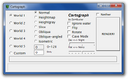
Cartograph G Branch from Cartograph. Supports the latest updates and some fixes of Cartograph bugs. New features are added including an enhanced GUI.[wymagane tłumaczenie] |
2011_03_17 (2011-03-17) |
|
Forum
|
Alpha, Beta, McRegion | Jeszcze nie | C++ (renderer), VB (interfejs) | Gameslinder |
|
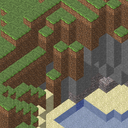
Tectonicus Renders high-detail zoomable versions of minecraft maps, viewable via google maps.[wymagane tłumaczenie] |
1.25 (2011-03-02) |
|
Forum
|
Beta, McRegion | Jeszcze nie | Java | OrangyTang |
|
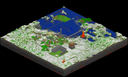
mcmap Command-line + Windows GUI. Mcmap Live available for Mac GUI.[wymagane tłumaczenie] |
1.0 (2010-09-23) |
|
Forum | Alpha, Beta, McRegion | Tak | C++ | Zahl |
|
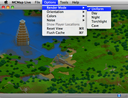
MCMap Live Interactive GUI, Xray maps, and biome support.[wymagane tłumaczenie] |
1.4.0 (2010-10-21) |
|
Forum
|
Beta, McRegion | Tak | Objective-C++ | Donkey Kong |
| Plik:Minetographer.png | Minetographer Intuitive GUI for creating detailed, zoomable map renders of you Minecraft worlds. Powered by Tectonicus, Minetographer is fast and easy to use.[wymagane tłumaczenie] |
0.7.2 beta (2010-12-28) |
|
Forum
|
Alpha, Beta | Jeszcze nie | Java, Objective-C | jakester2 |
| Plik:PixelMapNormal.png | PixelMap Highly customizable with a lot of options. Supports both GUI and command line and have the ability to use multiple cores (multithreading).[wymagane tłumaczenie] |
0.85 (2011-02-24) |
|
Forum
|
Alpha, Beta, McRegion | Tak | C++ | McTwist |
| Plik:Minemap.png | MineMap Łatwy do używania interfejs. Wieloplatformowy. |
1.0 (2010-10-09) |
|
Forum | Tak, WTFPL | Java | Gobo (Elliot Walmsley) | |
| Plik:InecraftTopographicalSurvey.png | Minecraft Topographical Survey Fast. Supports huge worlds. Multiple map types, including heatmaps. Both GUI and commandline versions. Auto updates.[wymagane tłumaczenie] |
1.4 (2011-01-31) |
|
Forum | Alpha, Beta | Tak, Ms-PL | C# | Dred_furst, davejk |
| Plik:AlphaVespucci.png | Alpha Vespucci Command-line, very customizable output (lots of options), capable of rendering huge maps. Also works under Wine (after adding a DLL override).[wymagane tłumaczenie] |
1.10 (2010-11-03) |
|
Forum | Alpha | Nie | C++ | OrangeXP |
| Plik:Minemap.png | MineMap Easy to use GUI. Multi-platform. |
1.0 (2010-10-09) |
|
Forum | Alpha | Tak, WTFPL | Java | Gobo (Elliot Walmsley) |
| Plik:MinecraftTopographicalSurvey.png | Minecraft Topographical Survey Fast. Supports really huge worlds. Multiple map types, including heatmaps. Auto updates. One click image upload for sharing. |
1.5 (2011-03-21) |
|
Forum | Alpha, Beta | Tak, Ms-PL | C# | Dred_furst, davejk |
| Plik:AlphaVespucci.png | Alpha Vespucci Command-line, very customizable output (lots of options), capable of rendering huge maps. Also works under Wine (after adding a DLL override). AlphaVespucci GUI has been written in .NET by LrdPhoenix. |
1.10 (2010-11-03) |
|
Forum | Alpha | Nie | C++ | OrangeXP |
| OpenCraft Plotter Part of the OpenCraft project. A Java library and standalone tool to provide visualizations for all save formats. |
0.3 (2010-02-07) |
|
Indev | Tak | Java | ?
|


Podgląd mapy
Programy te potrafią tylko odczytywać mapę. Posiadają interaktywny interfejs.
| Nazwa | Opis | Wersja | Platforma | Link | Ostatnie kompatybilne wydanie | Źródło | Język programowania | Autor |
|---|---|---|---|---|---|---|---|---|
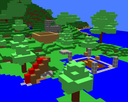
|
MineViewer 3D, Slices by clicking, GUI, Customizable Schemes. Connects to SMP servers. |
0.0.3 (2010-09-19) |
|
Alpha, Beta | Tak, MIT | C#/Lua | DrSchnz | |
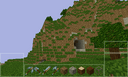
|
MineDroid A map viewer / concept design for Android OS. Use your own 1.3 beta levels, temporarily build and destroy blocks, sensor steering, crouch & jump, no-clip mode. Works on low end devices (requires android 2.1 or higher). |
250211 (2011-02-25) |

|
Beta, McRegion | Tak, BSD | Java | dilatoryreflex, Ryan McNally | |
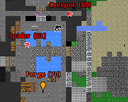
|
Minecraft AutoMap Displays a highly customizable live-updated map of your surroundings, including nearby creatures and players. Works with SMP and the Nether. The map runs in a separate window from Minecraft so it can be sized and positioned, fullscreened, or placed on top of Minecraft. Typically updated within 12 hours of Minecraft updates. Requires Risugami's ModLoader. |
0.4.x.x (2011-02-23) |
|
Forum | Beta, McRegion | Tak, MS-PL | C# | bp2008, Ceii |
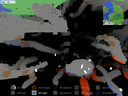
|
Minecraft X-Ray 3D map viewer that highlights minerals. |
2.7 MB 11 (2011-03-16) |
|
Forum | Alpha, Beta, McRegion | Tak, BSD | Java | plusminus / xolotl |
|
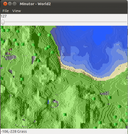
Minutor GUI, interactive, shows slices of your map up to the desired height. |
1.0 (2011-2-24) |
|
Forum | Alpha, Beta, McRegion | Tak, BSD | C/ObjC/C++ | mrkite77
|
Stare Mappery
Programy w tej sekcji pracują tylko ze starszymi wersjami gry, włączając w to darmowy tryb klasyczny.
| Nazwa | Opis | Wersja | Platforma | Link | Ostatnie kompatybilne wydanie | Źródło | Język programowania | Autor |
|---|---|---|---|---|---|---|---|---|
|
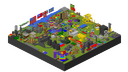
Isocraft The first of its kind. Creates an isometric image of a Classic level. |
1.0 (2009-11-27) |
|
Forum
|
Classic | Nie | Java | pubby8 |
|
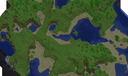
Cartograph The first mapper for infinite levels. Created for Infdev levels before it became Alpha. |
5.0 (2010-09-24) |
|
Forum
|
Beta | Tak (C++), no (Java) | C++, Java | ZomBuster |
|
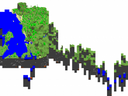
pynemap Command-line, suitable for cronjobs or scripts. |
0.1b2 (2010-09-23) |
|
Forum | Alpha | Tak, MIT | Python | ramiel (aheadley) |
Edytory mapy
Edytory potrafią modyfikować właściwości mapy, lokalizację gracza, cykl dnia i nocy i/lub mogą edytować inwentarz gracza i generować mapy.
| Nazwa | Opis | Wersja | Platforma | Link | Ostatnie kompatybilne wydanie | Źródło | Język programowania | Autor |
|---|---|---|---|---|---|---|---|---|
|
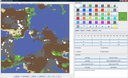
Omen The first map editor, created to edit Indev and later Classic levels. You can view the level's blocks in 2d slices, and alter them by "painting" blocks using brushes of different shapes and sizes. Also includes some terrain generators and supports the old Indev levels. Requires minecraft-server.jar for Classic support. |
0.7.0 (2010-02-08) |
|
Forum
|
Classic | Nie | Java | osici |
|
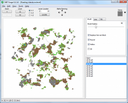
NBT Forge A successor to Omen that supports the newer Alpha levels. Like Omen, you can view 2d slices and paint blocks using a different set of brushes. Added new Blocks of Hallowen Update. |
0.2.14c (2010-08-05) |
|
Forum
|
Alpha | Nie | Delphi (?) | Aeomin |
|
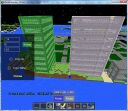
MCEdit The first 3D editor. Created to import older levels into the new Alpha levels. Fly around in 3D and select blocks, then copy or export them. Import blocks from schematics or from entire Classic levels. Resize a level by creating or deleting chunks. |
Alpha 85 (2011-02-27) |
|
Forum | Alpha, Beta, McRegion | Partial [1] | Python | codewarrior (David Vierra) |
|
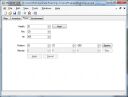
MineEdit All-in-one Editor. Includes a terrain editor similar to Omen and NBT Forge. Replaces blocks of one type with another. Also lets you edit your player's inventory and the world's entities. Since the November 21 Update, the terrain editor seems to be missing, but other problems have been fixed, and the program has been updated to support all blocks and objects added in the Halloween Update. [2] |
1.0 preview (2010-11-21) |
|
Forum | Alpha, Beta | Tak | C# | N3X15 |
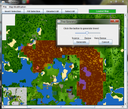
|
MapDeleter / Pine Tree Generator Features: delete chunks; copy and paste chunks (works between worlds); generate large pine trees. |
R5 (2010-09-25) |
|
Forum
|
Alpha | Nie | Java | Chuck |
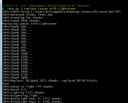
|
mce Command-line editor derived from MCEdit. Works well with servers. |
? |
|
Forum | Alpha | Tak | Python | codewarrior (David Vierra) |
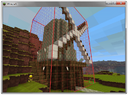
|
WorldEdit A powerful in-game SMP and SSP map editor. Edit regions, save/load regions, generate forests, restore regions from backups, and use other various utility tools. Single player usage requires Single Player Commands, while multiplayer usage requires a compatible plugin host. |
? |
|
Forum | Alpha, Beta | Tak | Java | sk89q |
Generatory map
Generatory potrafią stworzyć nowe światy z różnymi właściwościami lub mogą dodać do istniejącego świata nowe bloki.
| Nazwa | Opis | Wersja | Platforma | Link | Ostatnie kompatybilne wydanie | Źródło | Język programowania | Autor |
|---|---|---|---|---|---|---|---|---|
| ZOMG Creates wild, surreal landscapes of several varieties. |
2.02b |
|
Forum
|
Indev | ZomBuster | |||
| MCMapper A dungeon generator seemingly inspired by old Roguelike games. Creates rooms and levels out of different materials, in different styles. Rooms may hold traps, statues, enemy spawns, and/or treasure. |
v0.4.6 (2010-12-27) |
|
Forum | Alpha | Java | BeeTLe BeTHLeHeM | ||
| DF2MC Converts a Dwarf Fortress level to a Minecraft Alpha world according to a ruleset. |
0.7 Alpha .31.16 (2010-09-11) |
|
Forum | Alpha | Tak | C++ | TroZ | |
| Minecraft Map Generator Generates terrain based on user-defined terrain functions. Includes a GUI with map preview. |
2011.01.01b (2011-01-01) |
|
Alpha | Tak | Java | TOGoS |
Modyfikowanie
- Modyfikacje klienta gry znajdziesz tutaj: Modyfikacje klienta
| Nazwa | Opis | Wersja | Platforma | Link | Ostatnie kompatybilne wydanie | Źródło | Język programowania | Autor |
|---|---|---|---|---|---|---|---|---|
| MacModder MacModder is a mod manager that allows you to insert only what you want to. Instead of merging a whole mod, you can choose to add only a few of the class files, instead of other optional ones. It also features a mod uninstaller, a title splash editor, a save backup utility and a Java>class file converter. |
2.1 (2011-01-09) |
|
Forum | Beta | Nie | AppleScript, Bash | Contrillion | |
| Mod Installer Installs graphics packs and other mods for Alpha. Can detect the structure of mods inside zip files, allowing for one-click installation in most cases. |
1.2 (2010-10-20) |
|
Alpha | Tak, Ms-PL | C# | Dred_furst (davejk) | ||
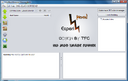
|
TFC's Mod Manager TFC's Mod Manager is one of the more advanced mod installation tools available at the current time. At its current release (16.0), TFC's Mod Manager has the capability to install a mod directly from the ZIP file without any unzipping. It also allows mod creators to have custom mod preview images, list item ID's to check for incompatibility, check for required mods, and even check to see if mods are up to date. With constant updates, this program is flying high in the mod management market. |
16.0 (2011-30-01) |
|
Forum | Beta | Nie | Java | TomFromCollege |
|
Minecrafter Minecrafter is a mod manager with a twist. Instead of providing simple merging tools, Minecrafter allows you to "craft" your own mods by mixing and matching other people's mods, all without touching JARs or graphics programs. The program is discontinued, but the source was released. |
1.1.2 (2010-10-27) |
|
Forum | Alpha | Tak | Java | Prelithe |
Skórki oraz paczki tekstur
| Nazwa | Opis | Wersja | Platforma | Link | Ostatnie kompatybilne wydanie | Źródło | Język programowania | Autor |
|---|---|---|---|---|---|---|---|---|
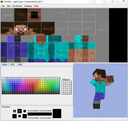
|
SkinEdit Interactive skin editor with real-time 3D preview, as well a library of pre-built parts. |
Alpha 3 pre 5 (2010-06-03) |
|
Forum
|
all versions | Nie | Java | Patrik Swedman |
|
Sk1nSw1tch GUI that allows you to easily preview, package, and switch texture packs. |
1.11 (2010-09-18) |
|
Forum
|
Alpha | Nie | ? | TeddyTrooper |
|
Minecraft Texture Switcher Allows you to switch texture packs. |
Beta 0.99 (2010-06-01) |
|
Forum | ? | Nie | Game Maker | TheDarkTiger |
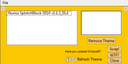
|
DSwitch DSwitch is a simple texture pack installer & managing program with a couple of extra nifty features. |
1.1.1 (2010-10-10) |
|
Forum
|
Alpha | Nie | ? | Thunderfudge |
| Plik:NievaSkin.jpg | NievaSkin NievaSkin is a 3D web-like intuitive interface to draw direct on skin preview, to view and upload skins. Has build-in integration with third-party skin sites minecraftskins.com and minecraft.decx.org and sharing links with embeddable preview. |
1.0 (2011-16-01) |
Forum | all versions | Tak | Javascript | Marcelo Saviski | |
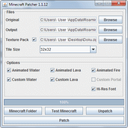
|
HD texture fix HD texture fix - formaly known as MC Patcher is a program that allows you to patch you game.jar file to having better textures. The default texture is 16x16px. Now you can get 256x256px, your pc is strong enough. |
1.1.12_02 (2011-22-03) |
|
Forum | Beta | Nie | C++ | xau |

Kopie bezpieczeństwa
Programy do tworzenia kopii pomogą ci tworzyć kopie twoich światów, i je przywracać w razie wystąpienia błędu.
| Nazwa | Opis | Wersja | Platforma | Link | Ostatnie kompatybilne wydanie | Źródło | Język programowania | Autor |
|---|---|---|---|---|---|---|---|---|
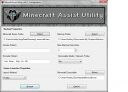
|
Minecraft Assist Utility Minecraft Assist Utility currently features a game launcher and robust back up system that is both easy to configure and painless to use! Designed for syncing save game between multiple computers. Has proper error handling, unique time saving back up system, game launcher supports multiple browsers as well as the standalone. Updated constantly! |
1.4.4 (2010-10-1) |
|
Forum | Alpha | Nie | AHK | errorseven |
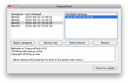
|
TreasureChest It can manage multiple backups and is capable of repairing/replacing chunk errors or corrupted savegames. Updated frequently. |
3.3 (3.4 linux) (2010-10-01) |
|
Forum | Alpha | Nie | RB | g-man |
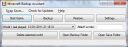
|
Minecraft Backup Assistant Minecraft Backup Assistant helps you to backup your Minecraft saves. It features fast backup, ZIP backup, restoring, Cartographing the save and more. The only backup program that keeps getting updated! |
2.2 (2011-01-13) |
|
Forum | all versions | Tak | C# | omer681 |
|
Minecraft Save Manager Small launcher tool that will back up and synchronize your saved games across multiple computers, performing file operations both before and after Minecraft is launched. It's meant to be a zero-effort tool so you don't have to go through the pain of loading your saved games from a USB drive or cloud folder. |
0.98 beta (2010-10-05) |
|
Forum | Alpha ? | Tak (Creative Commons) | Java+SWT | Vergeh |
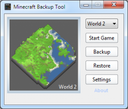
|
Minecraft Backup Tool Simple backup + restore tool with automatic map image generation. Includes AlphaVespucci but you can configure it to use any mapper (settings for c10t are also provided). Full source project available for download. Programmed using Lua and AutoPlay Media Studio Personal Edition. |
1.0.4 (2010-10-28) |
|
Forum | Alpha ? | Tak | Lua + AMS PE | Rugged Malone |
| Minecraft Save Wizard Easy To Use save manager effectively giving you the power to have an unlimited amount of worlds ! Use this great tool to move saved worlds between a holding area and the real minecraft area. This makes it easy for modders because it can move worlds into an easily accessible directory and then back again in two clicks ! |
1 (2011-1-9) |
|
Forum
|
Alpha + Beta | Niet Yet | VB.Net | PREDATOR_UK | |
|
Minecraft Savior Java Swing-based GUI for Minecraft players to backup and restore their valuable saves. Designed to be extremely easy to use, it auto-locates your local Minecraft 'saves' directory, and remembers the location of your backup directory and last backed up World. In many cases, the user can backup or restore in just one click! |
1.4 (2010-12-12) |
|
Forum | Beta | Tak | Java | JS |
|
Tjb0607's Backup Script A simple terminal-based backup script that instantly backs up all saves if any changes have been made. |
2.0 (2010-2-10) |
|
Forum
|
Beta | Tak | Bash | Tjb0607 |
Edytory inwentarzu
| Nazwa | Opis | Wersja | Platforma | Link | Ostatnie kompatybilne wydanie | Źródło | Język programowania | Autor |
|---|---|---|---|---|---|---|---|---|
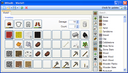
|
INVedit Some kind of successor of NBTedit. You can use it to edit your inventory in the Survival Alpha. |
0.9.4 (2010-07-19) |
|
Forum
|
Alpha, Beta | Tak, public domain | C# | copyboy |
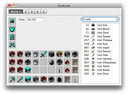
|
Inside Job A Mac inventory editor for Minecraft Alpha and Beta. |
1.0.2 (2010-10-10) |
|
Forum | Alpha, Beta | Tak, MIT | Objective-C | preble |
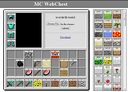
|
MC WebChest A web-based inventory editor. Upload your data files, edit, and download. Still adding features. |
1.0 (2010-10-25) |
Forum | Alpha, Beta | Some | HTML/Javascript/Perl | kbosak | |
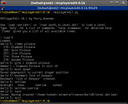
|
MCPlayerEdit A command-line inventory editor, with additional features including moving the spawn point, changing time of day, bookmarking locations. showing the world random seed and more. |
0.10 (2011-02-23) |
|
Alpha, Beta | Tak, MIT | Python | Ferry Boender | |
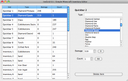
|
InvGrid Simple Minecraft inventory editor for OS X and Linux. |
0.6.1 (2010-10-31) |
|
Forum | Alpha, Beta | Tak, public domain | C++ and Qt4 | jbendig |
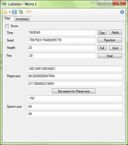
|
LolEditor Save editor. Edit world time, spawn/player positon, health and inventory. Does not run with Mono. |
3.1 (2011-02-26) |
|
Forum
|
Alpha
Beta 1.3 |
Nie | C# | Dawidds |
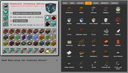
|
Online Minecraft Inventory Editor Online Minecraft Inventory Editor for any platform, any browser. |
1.2.7 (2010-12-26) |
Alpha, Beta | Nie | php + jQuery + html | vitaminRAD | ||
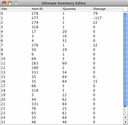
|
Ultimate Inventory Editor Raw data inventory editor. |
1.2 (2011-03-11) |
|
Forum
|
Alpha, Beta | Nie | Java | imjake9 |
Specjalne programy
| Nazwa | Opis | Wersja | Platforma | Link | Ostatnie kompatybilne wydanie | Źródło | Język programowania | Autor |
|---|---|---|---|---|---|---|---|---|
| Plik:Minecraft ID List.PNG | Minecraft ID list Select an item from the drop-down lists and click 'Get ID' to display its item ID. |
v1.1 (2011) |
|
Forum | N/A | Nie | ASP.net | Alan Montgomery |
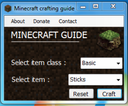
|
Minecraft Crafting Guide Select a specific item from the drop-down lists, and the application will display the recipe & materials needed to create it. |
v1.3 (2011) |
|
Forum | N/A | Nie | ASP.net | Alan Montgomery |
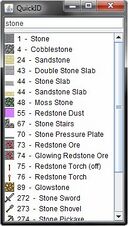
|
QuickID Displays a list of Item names and IDs for any entry containing the text entered. |
v1.0 (3.19.2011) |
|
Forum | Beta 1.3_01 | Tak | Java | Kyle Kinkade |
|
Blue Husky's Minecraft Inventory Holds a catalogue of all items in Minecraft and their data values, as well as their suggested trade value. Has an easy search |
1.0.0 (March 8th, 2011) |
|
Forum | Alpha, Beta, McRegion | Nie, but not obfuscated. | Java | Blue Husky Programming |
|
BlockFire A simple but powerfull Minecraft Serveradmintool that ONLY works via SSH! It soon gets support for server mods and is currently in alpha stage |
v0.0.1.0 alpha (2011) |
|
Forum
|
Beta | Nie | C++ | Alia5 |
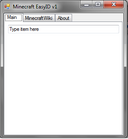
|
Minecraft EasyID Searchable Item/Block ID list. Searches as you type, displaying items or blocks which have those letters in them. |
v1 (2011) |
|
Forum
|
N/A | Nie | C#.NET | Trappingnoobs/Ashley Davies |
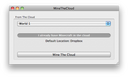
|
MineTheCloud Lets you play and save Minecraft on the cloud (i.e. Dropbox). Useful for taking Minecraft saves anywhere you go. |
1.1 (2011) |
|
Forum
|
Alpha, Beta | Tak | Objective C | RS |
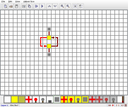
|
Baezon's Redstone Simulator A simulator for Redstone circuits. Place circuit elements in a grid and use Play/Pause to control the simulation. Repeaters are not implemented. |
2.2 (2010-11-30) |
|
Forum
|
Alpha, Beta 1.2 | Nie | Java | Baezon |
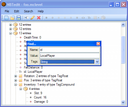
|
NBTedit Allows you to edit every file in the NBT format, and thus edit inventory, entities, and world attributes. Reported to work on Linux using Wine [3], may also work using just Mono. |
0.9.8 (2010-05-16) |
|
Forum
|
Alpha | Nie | C# | copyboy |
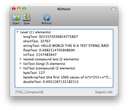
|
NEINedit Edit every NBT File including your level.dat (Health, Items) or chunks. More features planned. |
0.3 Beta (2010-10-29) |
|
Forum | all versions | Nie | RB | g-man |
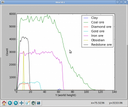
|
mian (Minecraft Analyzer) Interactive graph showing material counts to height based on a Minecraft save game directory. |
0.9.2 (2011-03-02) |
|
Alpha, Beta | Tak, GPL | Python | Pepijn de Vos, Victor Engmark, Alejandro Aguilera | |
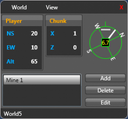
|
Minecraft GPS Provides in-game updates of the players position. Also allows bookmarking of positions to navigate back to. |
1.1.0.0 (2010-10-26) |
|
Forum | Alpha | Tak | C# | distantcam |
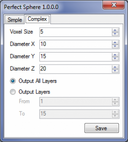
|
Perfect Sphere Generates blueprints for creating spheres and ellipsoids in the game using blocks. |
1.0.0.0 (2010-10-19) |
|
Forum | Alpha | Tak | C# | distantcam |
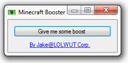
|
MCBooster (Minecraft Booster) Gives you a little boost/speedhack when you click the button. |
1.0 (2010-11-08) |
|
Alpha | Nie | C# | Jake | |
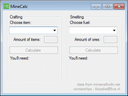
|
MineCalc Calculates how much goods you need to craft the amount of items you want or how much fuel you need to smelt the amount of ores you want. |
0.2 (2010-11-12) |
|
N/A | Nie | C# | klopske | |
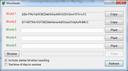
|
MineSeeder Share your natural maps and occurrences as a string of 50 chars. |
0.9 (2010-11-13) |
|
Forum | ? | Tak | C# | XiaTek |
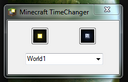
|
Minecraft TimeChanger Change the time of a world. Works on mac with Mono. |
1.0 (2010-11-23) |
|
Forum
|
Alpha, Beta | Nie | C# | Lindell92 |
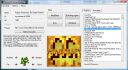
|
Minecraft Serverbrowser Displays servers from servers.minecraftforum.net and helps you managing favourites. |
2.0.1 (2011-03-06) |
|
Forum
|
Alpha, Beta | Nie | VB.Net | Morrolan |
| MCDesign Quick and easy floor planner. Can export files for others to open and edit. |
ALPHA (2011-02-24) |
|
Beta | Nie | GML | AT01 | ||
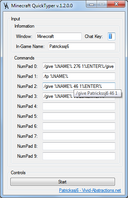
|
Minecraft QuickTyper (Command Spammer) Macro manager that quickly types in commands with the press of a button. |
1.2 (2011-02-15) |
|
Beta | Nie | C# | Patrickssj6 | |
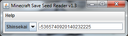
|
Minecraft Save Seed Reader Reads the seeds from your save files, so you can regenerate your original worlds. |
1.3 (2011-03-05) |
|
Beta | Tak | Java | Chris Iverson | |
| MineOS Standalone Linux OS distribution aimed at running a Minecraft server (only). |
1.0 (2011-01-04) |
|
Forum | Beta | Tak | Python | William Dizon | |
| McMSS Minecraft Multiple Server Selector Launcher wrapper allowing multiple servers to be retained and accessed in a simple manner. |
1 & 2 (2011-02-23) |
|
Forum
|
Beta | Nie | ? | SoloDev |

Wrappery serwera
Programy te są modyfikacjami nie zmieniającymi serwera lub danych, jednak pozwalają na sterowanie serwerem i dodatkowe funkcje.
| Nazwa | Opis | Wersja | Platforma | Link | Ostatnie kompatybilne wydanie | Źródło | Język programowania | Autor |
|---|---|---|---|---|---|---|---|---|
| AsiWrapper Open-source console wrapper that adds administration tools (backups, player white-list, auto-restart, external login, etc.) and chat commands for creative servers. |
r105 (2011-01-20) |
|
N/A | Tak, Beer | Java | Léo Peltier | ||
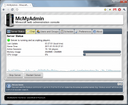
|
McMyAdmin Web based administration tool supporting both Windows and GNU/Linux servers. |
0.8.2.0 (Release 15) |
|
N/A | Nien-free/Mixed | C# | PhonicUK | |
| MC Server Helper Console wrapper for Windows that automates server backup, restart, and update of minecraft_server.jar. |
1.1a (2011-03-05) |
|
N/A | Tak, Ms-PL | C# | GaryJohnson | ||
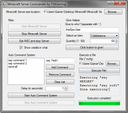
|
Minecraft Server Commander Provides various help functions for hosting the default java server, like an auto-command system and give helper. |
2.0 (2011-02-07) |
|
Forum | N/A | Tak | C# | F16Gaming |
| Plik:Screen.png | Multicraft Feature rich control panel. Lets you manage multiple servers over a single web based user interface. |
b1.0.11 (2010-03-01) |
|
Forum | Beta | Front End | Python, PHP | xhost.ch |
| SimpleServer Console wrapper and packet tunnel for Minecraft beta servers. It implements user groups, whitelisting, admin commands, block blacklisting, chest protection, automated backups and restarts, and more. |
RC 7.0 (2011-01-17) |
|
Forum | Beta | Tak | Java | SpiegalPwns | |
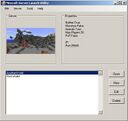
|
MineCraft Server Launch Utility The Server Launch Utility provides a quick and easy interface for creating, editing and running servers. In development. Webpage coming soon. Feedback Appreciated. |
v01.4 (2011-03-13) |
|
Forum | Beta | Tak | VB | ilent2
|

Pomoce
| Nazwa | Opis | Wersja | Platforma | Link | Ostatnie kompatybilne wydanie | Źródło | Język programowania | Autor |
|---|---|---|---|---|---|---|---|---|
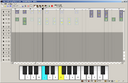
|
Minecraft Song Planner Lets you place note blocks on a timeline and change their pitch and instruments to construct songs, that you later can build in Minecraft. |
v2.0 (2011-01-21) |
|
Forum
|
Beta | Nie | Game Maker | Davve |
| Plik:Screenshot circuitry.png | Minecraft Canary Mobile app that serves as a full guide to Minecraft. Features a Timer that tells you what time of the day is it. Contains a full recipe list, tips, info about mobs, block IDs, circuits, traps, etc. |
1.45 |

|
Beta | Nie | Java | NinjaCoders | |
| Plik:Minecrafthelper12.png | Minecraft Helper An iOS application that will help you with your adventures in Minecraft. It features a very clean interface and it shows all the items found in the game. Minecraft Helper also has a favorite function, the crafting recipes are interactive and there are links to this Wiki on all item and block profiles, which open in-app. According to the developers also coming to Android soon. |
1.1 (2011-01-24) |
|
Beta | Nie | Kombo Studio | ||
| Minecraft ID List An interactive ID list that allows you to search through blocks and items. |
|
Beta | Nie | Graham Edgecombe | ||||

|
Minecraft: Sound Mod The program allows you to select a file you want to replace, and then specify a file to replace it with. It also creates a backup of your original sounds so you can revert to using them whenever you want. Ideal for changing the sounds to something more interesting, or playing around with them on someone elses game. |
Latest Version |
|
Forum | Nie | VB.net | Dan | |
| Plik:Kubik14.png | Kubik Kubik is encyclopedia app for Minecraft with online chat and lists of servers. |
1.4 (2010-09-24) |
|
Forum | N/A | Nie | Flex | Yury Romanov |


